
Dated notes · Windows · Mac · iPhone · Android
See your day
clearly.
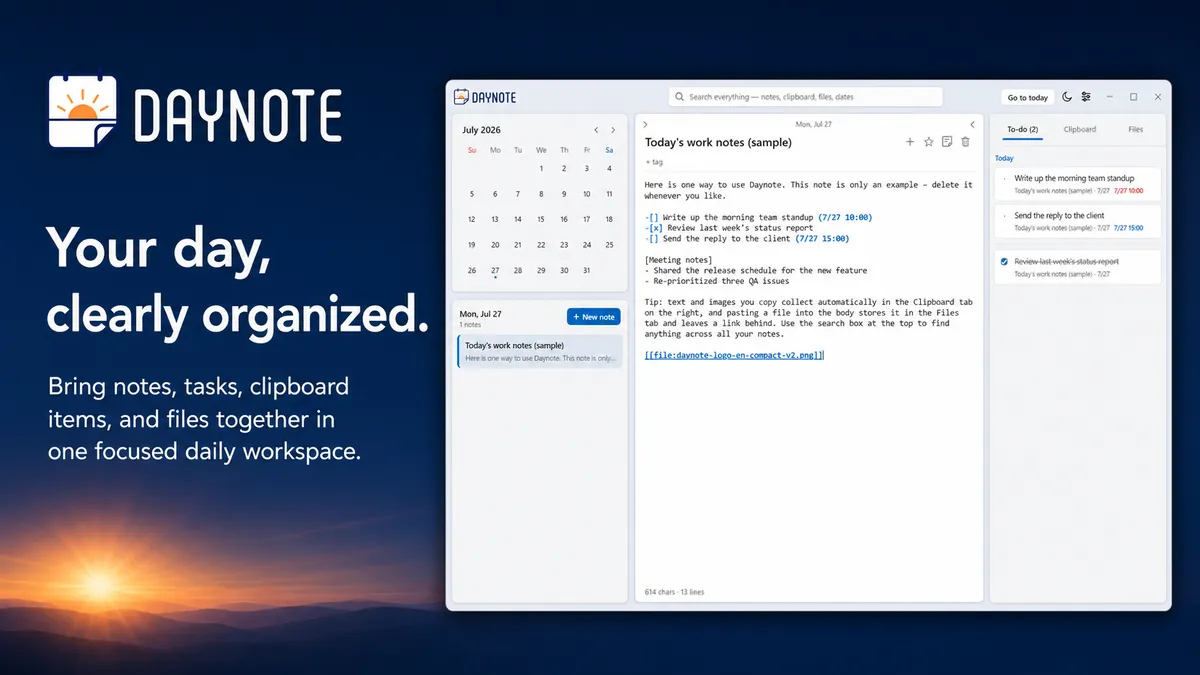
Notes, to-dos, and files in one focused daily workspace. Pick a date on the calendar and everything from that day is right there.
 Coming soon
 Coming soon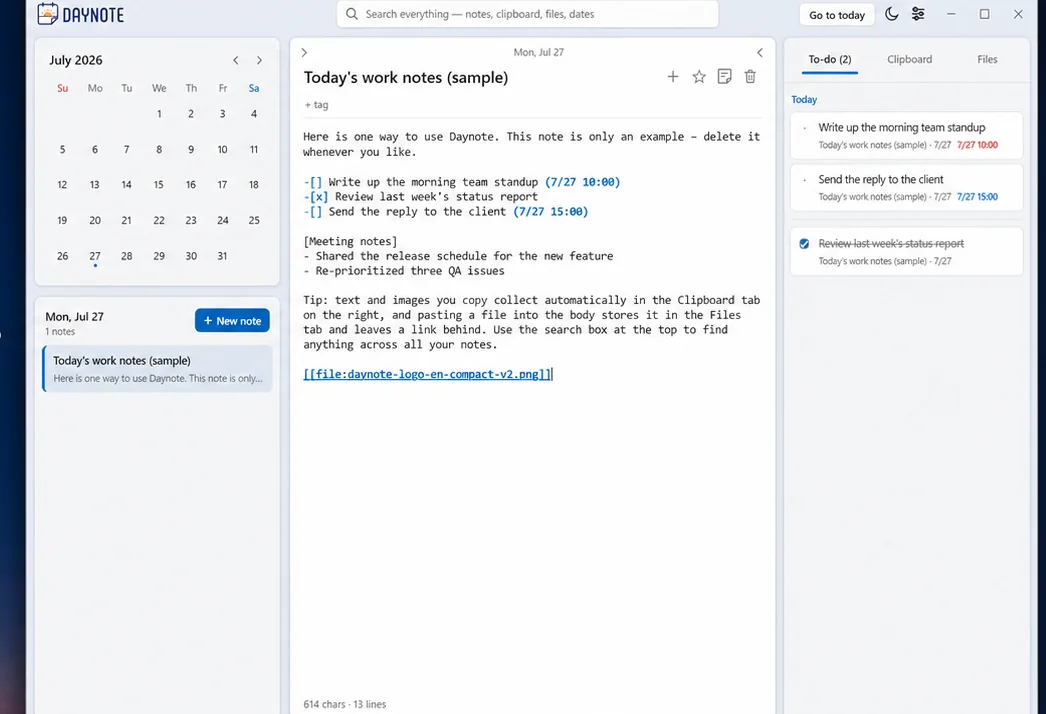
Dates, not folders.
Most memories come attached to a "when": the meeting last Tuesday, the file you received yesterday, what you need to finish today. Daynote uses that as its structure. Each day on the calendar is a workspace, and notes, to-dos, and files all gather under its date.
No folder names to invent, no tag taxonomy to maintain. Click a date and the day opens. Search, and you jump straight to whichever day it was.
Features
Few things, used every day.
-
Type it in the note. It becomes a to-do.
Write
-[]in a note body and it turns into a checkbox. Add a due time like(7/27 14:00). The To-do tab on the right gathers items from every date, grouped by day, and overdue ones turn red. -
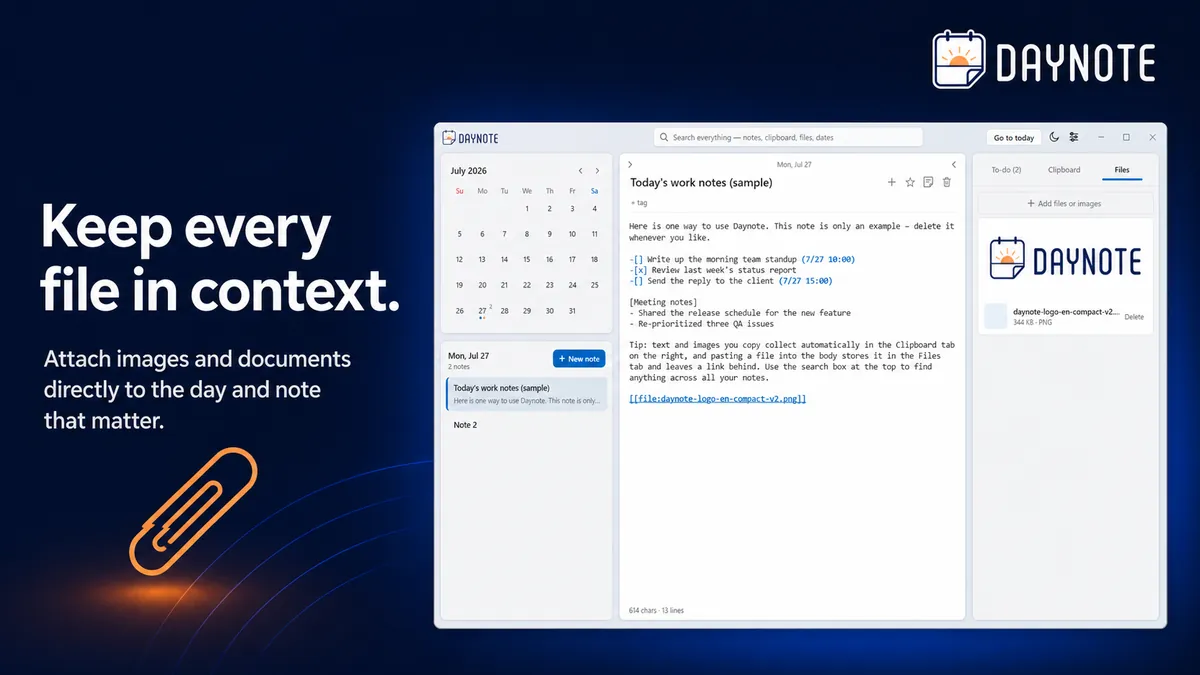
Files stay with their day
Drop files onto the Files tab, or paste an image or file into the body: it is stored as that day's file and only a one-line link stays in the text. Click the link and it opens in the Files tab. When you later need "that document I got", the date is all you have to remember.
-
Titles, bodies, and files in one search
One search box covers note titles and bodies, attachment names, and dates. Short queries work as typed, including one or two Korean characters, and each result deep-links to exactly that note or item.
-
One keystroke, even from the tray
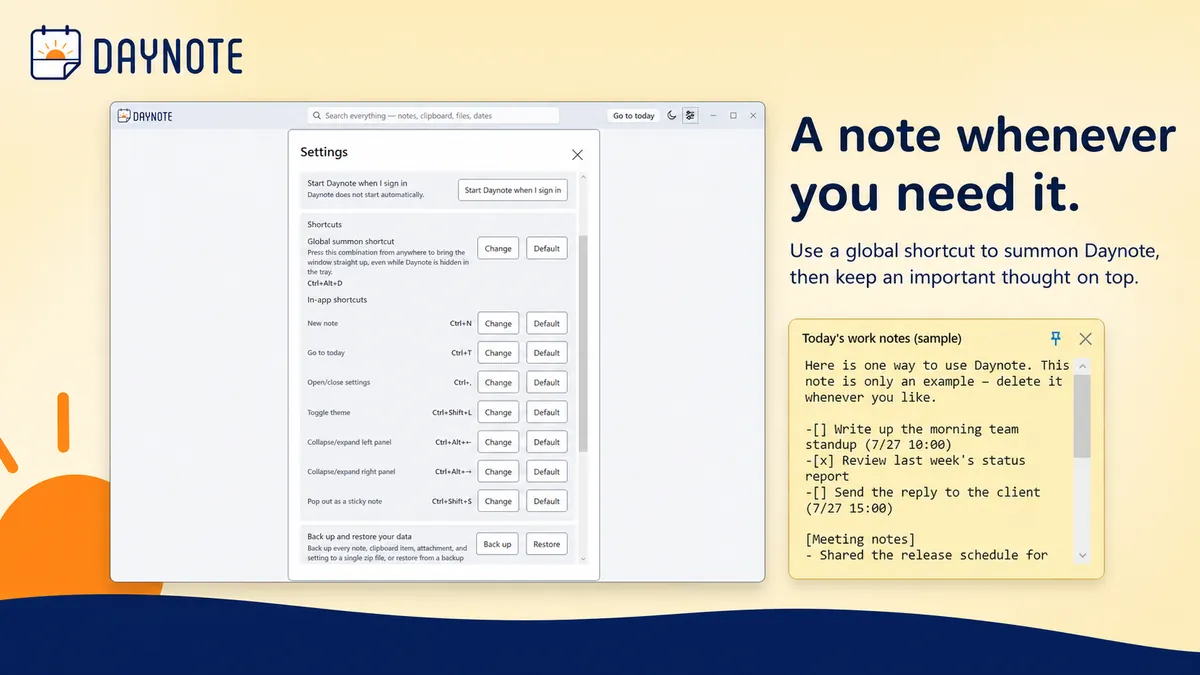
Daynote lives in the tray. Global shortcuts summon it from anywhere or drop a sticky note onto today, and every in-app shortcut can be rebound in settings.
And also
- Timeline view Instead of paging day by day, unroll your notes in date order and skim them in one pass.
- Sticky notes Pop a note out into a small always-on-top window. The sticky and the body edit together in real time.
- Tags and favorites Tag notes, and #hashtags in the body are recognized automatically. Notes you keep coming back to live in the Favorites tab.
- AI integration (MCP) Let an MCP client such as Claude Desktop read and write your notes. Off until you register it yourself.
- Backup and restore Export everything to a single file from settings and restore it later. Updates and reinstalls keep your data in place.
- Light and dark Follow the Windows theme or switch with one key. The UI ships in English and Korean.
Screens
iPhone · Android
The same notes,
on your phone.
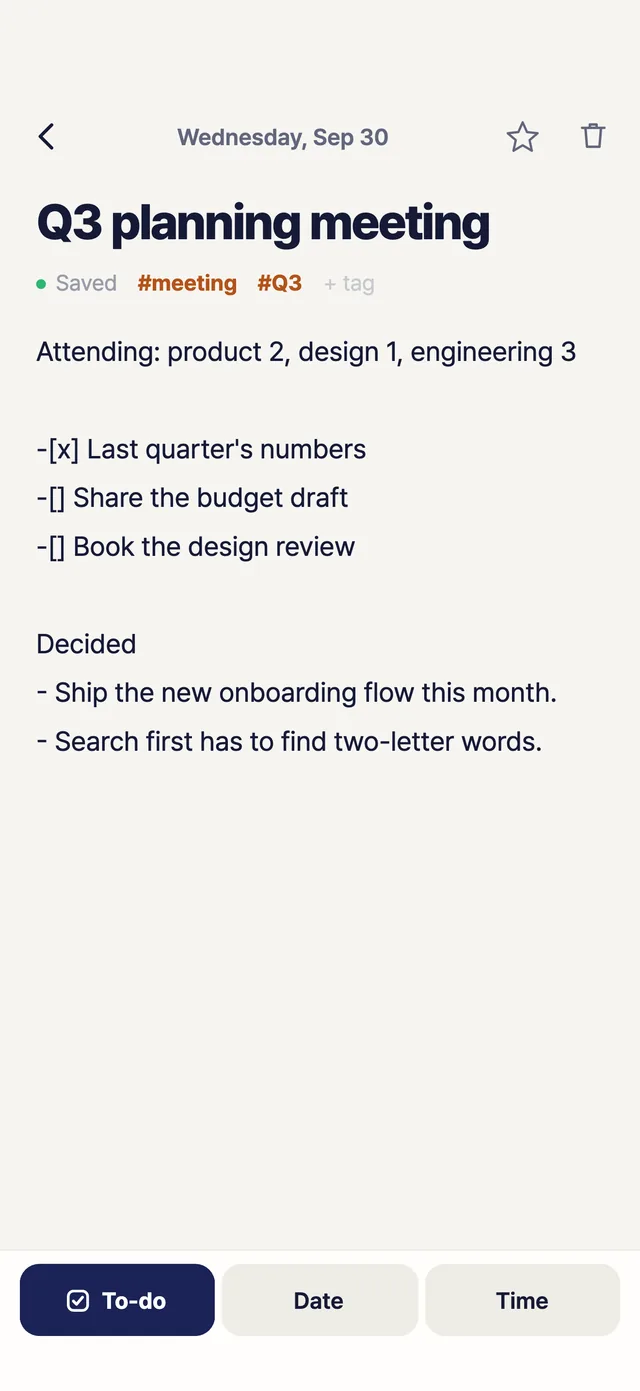
On the phone, Daynote still runs on dates. Open today and that day's notes and to-dos sit under a strip of this week. Sign in, and the notes you wrote on your PC are there too.
Coming soonComing soon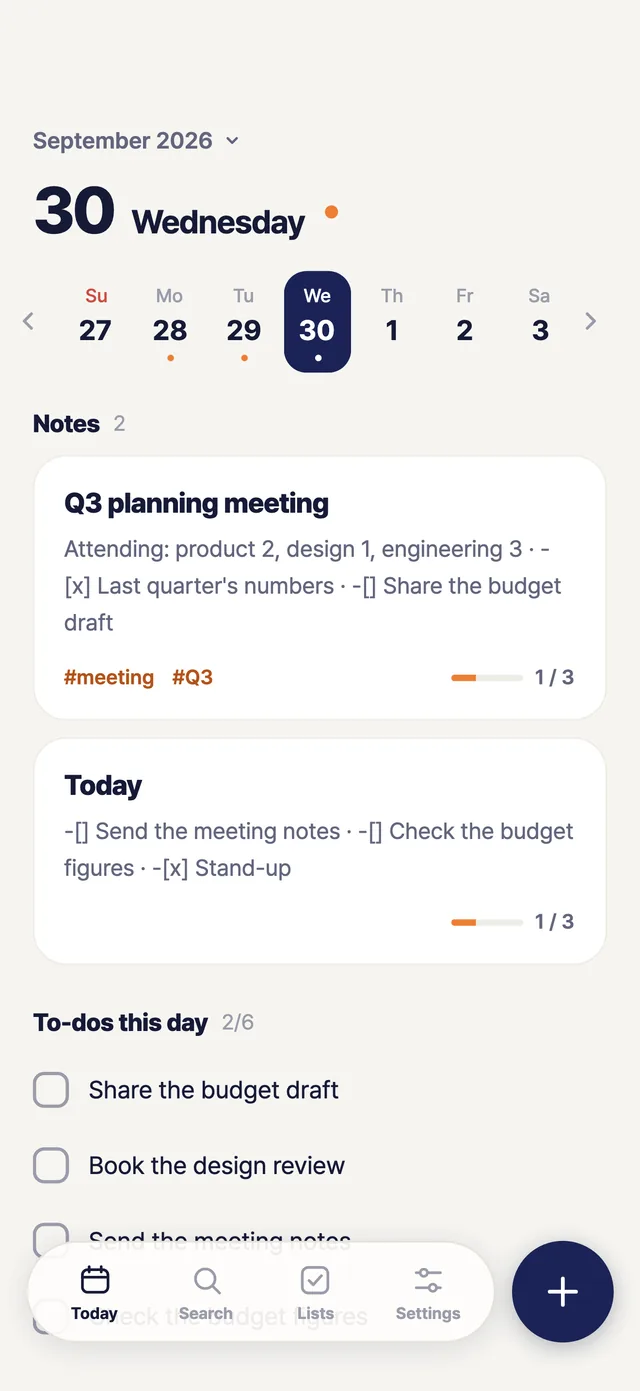
- iPhone and Android The same app and the same screens on both.
- No account, works offline Install it and start writing. Until you sign in, your notes stay on the phone, and it all works without a connection.
- Sign in, see your PC's notes Sign in with the Google account you use on your PC and the same notes and to-dos show up on both. On iPhone you can also sign in with Apple.
- A
-[]line is a to-do Start a line with-[]and it becomes a checkbox, gathered into that day's to-do list. - Photos and files, on the day Attach a photo you took or a file you received to its date. Later, the date is all you need to remember.
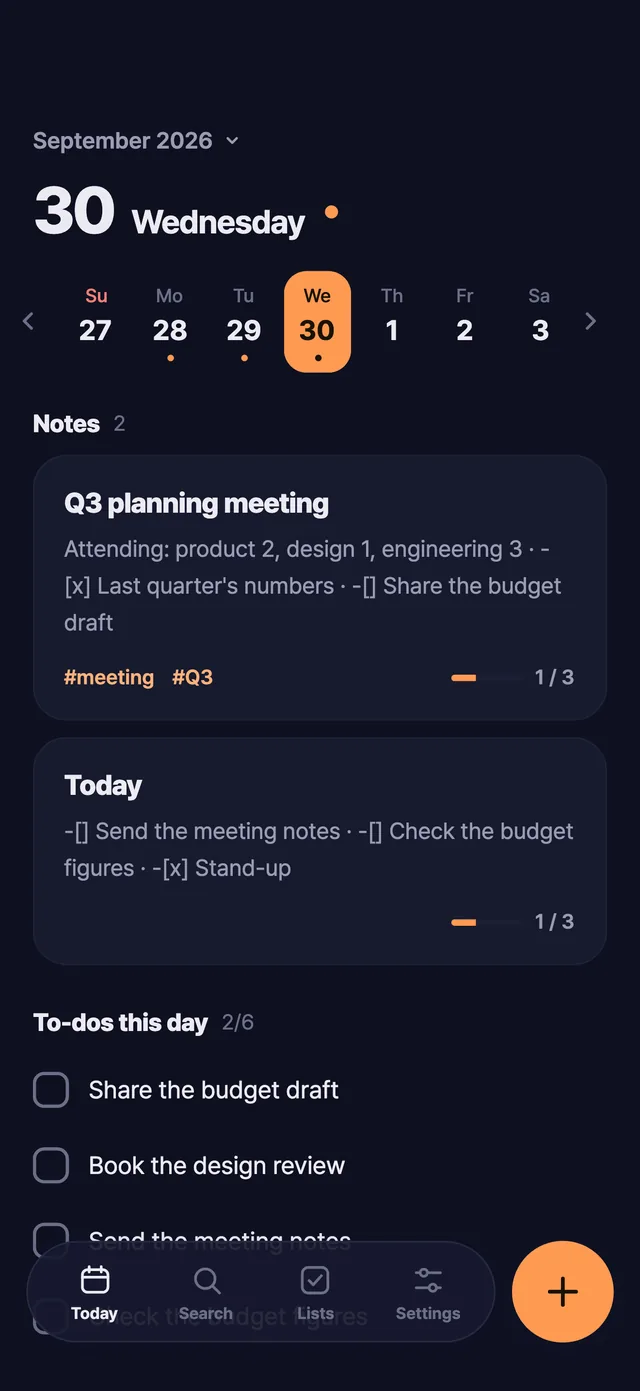
- Light and dark Pick the light theme or the dark one, whichever is easier on your eyes.
Cloud sync
The same day, on every PC.
Notes for free.
Want to pick up at home what you wrote at work? Sign in with your Google account and your notes, to-dos, and tags stay identical in real time on every PC you sign in to. That part is free. To have the images and files you attach travel along too, subscribe to Pro. Stay signed out and Daynote stays exactly as local as it is today.
Pro is $2.49 a month or $19.99 a year, with a 14-day free trial granted once at sign-up. Sync propagates, it does not back up: delete on one PC and it is gone on all of them, so keep backups with the backup feature in settings.
- 1Sign in with Google
No new password to invent. Sign in to Google in your system browser and you are done.
- 2Notes sync right away, free
Once signed in, notes, to-dos, and tags start syncing at once, with no time limit. Image and file sync switches on alongside as a 14-day Pro trial, no card required. When the trial ends, only file sync stops.
- 3An encrypted copy, locked if you want
Encrypted in transit and at rest. To make it unreadable to the service too, turn on "Lock my notes": a passphrase only you know becomes the key, and the recovery key is the only way back if you forget it.
- 4Cancel any time
When Pro ends, image and file sync stops. Nothing else happens: notes keep syncing, the files on this PC stay, and the copy already uploaded is kept.
Privacy
Your PC by default.
Only what you switch on leaves.
Daynote has no telemetry. Notes and files are stored in a local folder only your Windows account can read, and until you sign in the app opens no internet connection. Exactly two things can carry content off this PC, and you switch on both yourself: cloud sync and the AI integration.
Read the full privacy policy- CollectedNo usage statistics, no crash reports. With sync on, the service holds your Google account id and email, and when each note last changed.
- Stored at%LocalAppData%\Daynote on your PC. Plain files the app does not encrypt, so you can back them up yourself at any time.
- BackgroundNo clipboard monitoring, no keystroke logging, no screenshots. It only acts on what you do inside the app.
- Cloud copyNotes and files alike are encrypted in transit and at rest. By default the service also holds the key, so this is not end-to-end encryption. Turn on "Lock my notes" in settings and the key is re-sealed with a passphrase only you know, and the service destroys its copy.
- PaymentDaynote never sees your card. Checkout happens on a page run by Paddle, the merchant of record; the service receives only a subscription status and a renewal date.
Start today.
Install it free from the Microsoft Store. A short tour on first launch walks you through the features.
Get it from Microsoft Store Download for MacFor Apple Silicon · notarized by Apple · Intel Mac? Get it here
- Supported
- Windows 11, Windows 10 21H2 LTSC / Enterprise (x64), macOS 12 or later (Apple Silicon, Intel)
- Price
- Free
- Sync
- Notes and to-dos sync free. Image and file sync (Pro) is $2.49 a month or $19.99 a year, 14-day free trial
- Data location
%LocalAppData%\Daynote- Current version
- 1.5.0